


cropper
Atlanta Home and Garden Insider
  • Home
  • Categories
    • DIY Projects
    • Sustainable Practices
    • Design Trends
    • Landscaping
    • Lawn and Garden Care
  • Smart Home Tech
  • Interior Design Tips
  • Home Maintenance
November 06.2026
3 Minutes Read

Discover Home Assistant 2026.11: Marketplace Innovations and Dashboard Upgrades

Home Assistant 2026.11 features overview with enthusiastic person and logo.

Unlocking Smart Home Potential with Home Assistant 2026.11

The recently launched Home Assistant 2026.11 brings a plethora of enhancements designed to simplify smart home management and elevate user experience. This significant update introduces an array of new features, the most noteworthy of which is the rebranding of the Home Assistant Community Store as the Marketplace. This change aims to streamline the integration of custom components, making it easier than ever for users to personalize their smart home ecosystems.

In Everything New In Home Assistant 2026.11!, the discussion dives into exciting new features and enhancements, exploring key insights that sparked deeper analysis on our end.

Revolutionizing Integrations: Welcome to Marketplace

Marketplace is not merely a rebranding; it signifies a fundamental shift in how users engage with custom integrations. Now integrated directly into Home Assistant’s core, there’s no longer a need for separate installations. Users can seamlessly access Marketplace via the settings menu, thereby eliminating the confusion of setup and separate installations that many new users previously encountered. The best part? Installing integrations no longer requires a reboot, allowing for instantaneous setup. The integration information pages have also received a facelift, featuring richer details and better organization under tabs like 'Discover' and 'Installed.'

Dashboard Innovations: Making Home Automation More Intuitive

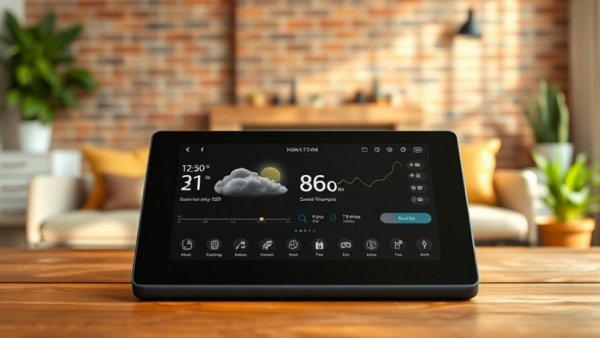
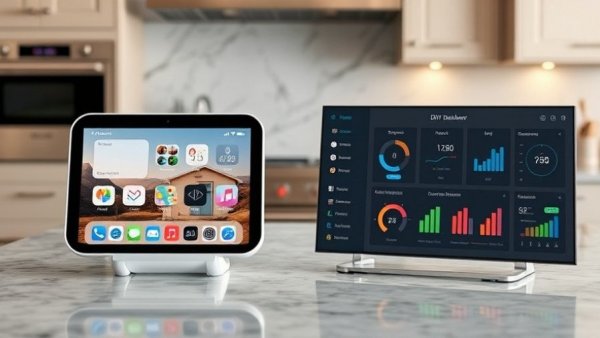
Home Assistant 2026.11 doesn’t stop at integration. It also rolls out several dashboard improvements, including the ability to duplicate entire sections of your dashboard with ease. Imagine being able to carry over your meticulously configured light controls from one page to another without starting from scratch. This feature, coupled with the introduction of automatic sections that automatically group devices by usage or area, revolutionizes how users manage their smart home layouts.

Two-Way Audio: The Future of Home Communication

Perhaps the most exciting aspect of this update is the introduction of two-way audio support for cameras within Home Assistant. This feature allows users to interact with visitors through their surveillance systems without switching to a separate app, providing an unprecedented level of convenience. Currently supported on select Reolink and Matter cameras, this capability signals a potential expansion of compatibility, setting the stage for remarkable use cases in home security and interactivity.

Energy Management and Automation Enhancements

As part of its enhancements, Home Assistant now offers automatic energy stats for devices that provide power readings in watts. Users can easily integrate these into their energy dashboard, simplifying energy consumption tracking and management. Additionally, when creating automations, users can exclude specific devices or sensors from being affected. This ensures that automation remains flexible and user-centric, allowing for a tailored smart home experience.

New Features in Troubleshooting and Management

For power users, the ability to view live logs for all integrations enables efficient troubleshooting. A new action history feature provides a timeline of device interactions, enhancing accountability and awareness of system operations. Users can also clean up faulty sensor reading history, preserving data integrity, and reinforcing confidence in home energy statistics.

The Bigger Picture: Embracing Future Trends in Smart Technology

This update also embraces emerging protocols like LoRaWAN and Zigbee Green Power, showcasing Home Assistant's commitment to expanding device support for both short and long-range communications. These advancements allow for broader use cases in connectivity, especially in challenging environments.

Call to Action: Empower Your Home Today

Home Assistant 2026.11 is more than just an update; it’s a call to action for homeowners looking to optimize their living spaces through smart technology. Whether you're new to smart home devices or an experienced user, there are tools and features in this latest release that can transform your experience. Discover what the Marketplace has to offer and explore the limitless potential of your smart home setup. Upgrade today and take control of your environment seamlessly!
Smart Home Tech

7 Views

0 Comments

Write A Comment

*
*
Please complete the captcha to submit your comment.
Related Posts All Posts
11.16.2026

Transform Your Home with E-Ink Displays: Smart Dashboard Insights

Update Enhancing Your Smart Home with E-Ink Displays The innovation of E-ink displays is reshaping how we interact with technology in our homes. With a focus on visual comfort, energy efficiency, and aesthetics, these displays offer a refreshing alternative to traditional screens. Inspired by the video titled How I put my Smart Home Dashboard on E-ink!, we delve into the benefits of E-paper technology and its application in creating sleek smart home dashboards.In How I put my Smart Home Dashboard on E-ink!, the discussion dives into the fascinating world of E-paper displays for home automation, uncovering key insights that sparked deeper analysis on our end. What Makes E-Paper Displays So Appealing? First and foremost, the design and functionality of E-ink displays cater to user-friendly experiences. Just like the display on a Kindle e-reader, these screens are easy on the eyes, allowing users to interact without the strain typically associated with bright phone and tablet screens. In addition, the long-lasting battery life of E-paper devices—lasting months instead of days—makes them perfect for continuous use, especially in a smart home setup. For homeowners looking to enhance their living space, E-paper displays emerge as a stylish fit, allowing homeowners to showcase their smart home dashboards elegantly around the house. This technology's relaxed visual aesthetics make it ideal for high-traffic areas like kitchens or living rooms. Choosing the Right Display for Your Needs In the realm of E-paper displays, options abound. The video outlines some key choices, with the focus on the Terminal X and the ReTerminal E1003 from Seeed Studio. Both displays offer similar sizes with substantial resolutions, but there are nuances that can impact your decision. For example, the Terminal X has a matte, anti-reflective finish, while the E1003 sports a glossy appearance. Additionally, the user interface and battery life vary significantly, with the Terminal X providing a more straightforward setup process. With prices ranging from $160 to $230, homeowners must weigh their priorities. Those who prioritize ease of use may prefer the Terminal X, while more advanced users looking for customization might lean towards the DIY-focused ReTerminal E1003. DIY or Plug-and-Play: What’s Right for You? One of the exciting aspects of using these displays is the capacity for DIY enthusiasts to tailor their setups extensively. The video provides detailed steps on how to set up a smart home dashboard on both displays, emphasizing the differences between quick setups like the Terminal X and the more complex, yet rewarding, process of using the E1003. Those inclined towards technology may relish the challenge of customizing their displays and integrating them with existing smart home systems via Home Assistant. The ability to add personal touches, from home automation functions to custom layouts, gives homeowners ample room to explore their creativity. Debunking Myths and Misconceptions Often, misconceptions surround E-paper displays, particularly regarding their capabilities. One common assumption is that color E-paper displays will always offer a superior viewing experience. Yet, the video highlights that these color screens can lag significantly in refresh rates compared to their monochrome counterparts. This delay can undermine functionality in a fast-paced environment like a kitchen, where quick updates are essential. The importance of refresh rates cannot be overstated. The tested monochrome models provide a far more fluid interface, allowing for real-time updates on smart home dashboards, all while preserving battery life. The Future of E-Paper in Smart Homes Looking forward, the sustainability of E-paper technology positions it well for future growth within the smart home sector. With ongoing advancements enhancing battery life and display quality, homeowners can anticipate even greater integration with IoT devices. As hybrid setups using both wired and wireless connections gain popularity, E-paper displays stand to become integral components of smart home ecosystems. Innovations like the new Seed Studio E1003 displays using NRF chips promise improved battery management and resource efficiency, paving the way for a smarter, more sustainable future. Conclusion & Call to Action With the backdrop of evolving smart home technology, investing in an E-ink display can be a perfect step towards creating an efficient, aesthetically pleasing home environment. Whether you're interested in the ease of a plug-and-play solution or are eager to dive into DIY projects, options abound that cater to every preference. To explore and secure your own E-paper smart display setup, visit your local tech providers or check online for compelling deals. Stay informed on the latest advancements in smart technology by following our updates on technological innovations. We delve into the tools, techniques, and trends shaping the future of smart living.

11.14.2026

Is the Apple Home View a Smart Upgrade of Your Kitchen Space?

Update Is the Apple Home View Worth the Hype for Homeowners? For many homeowners aged 40-65, innovation in smart technology often piques interest, especially when considering how these tools might enhance daily life. The recent Apple Home View has raised eyebrows with its promises of seamless integration and engaging user-friendly features. However, as the saying goes, 'The apple doesn’t fall far from the tree'—but does this device live up to the family tech legacy?In 'Apple HomeView vs My Home Assistant Dashboard!', the discussion dives into the practical uses of the Apple Home View versus custom alternatives, prompting a deeper analysis of its strengths and shortcomings. What Makes the Apple Home View Stand Out? One of the standout features of the Apple Home View is its audio capabilities. Homeowners looking for quality sound will appreciate how effortlessly the device plays music from popular apps like Spotify. When cooking, the clarity and richness of the audio enhance the kitchen experience. A user-friendly interface allows even the technology-averse to play their favorite tunes without hassle. Notably, it’s great for multitasking; a quick glance at the screen reveals album artwork, making it visually appealing too. Another draw for kitchen aficionados is the Apple Home View’s impressive recipe-following functionality. Users can easily pull recipes from their phones and follow directional steps onscreen. With voice commands enabled, there's no need to reach for the device with dirty hands, maintaining the clean culinary environment so many home cooks desire. FaceTime and Cooking: A Match Made in Tech Heaven In addition to its audio and recipe features, the Apple Home View provides an excellent FaceTime experience. Its wide camera and agile display offer an inclusive environment, making it simple for family members to stay in touch while cooking together or sharing moments hands-free. This can be particularly advantageous for families with children, allowing them to connect while remaining engaged in meal prep. The Pitfalls: What Falls Short? However, all is not perfect with the Apple Home View. Upon closer inspection, its widget functionality leaves much to be desired. While third-party widgets offer some customization, many do not work as intended. For example, homeowners hoping to integrate their Google Calendar will find the display frustratingly small, affecting usability and requiring constant manual resizing. Moreover, users will discover that unless your phone is nearby, accessing personalized widgets can become cumbersome. This feels counterintuitive for a smart home device intended for family use. For those who prioritize a shared home dashboard without dependency on individual phone connections, there may be better options available. Why Should You Consider the Apple Home View? Understanding the Apple Home View's limitations is essential for making an informed decision. If you’re primarily seeking a device for music, recipes, and FaceTime, this device undoubtedly excels and may justify its price tag of $300. Its sleek design and effective kitchen integration could make it a beautiful addition to your home. Looking Ahead: Smart Tech Trends in the Kitchen As we embrace smarter cooking technology, the Apple Home View sets a baseline but opens the conversation about what features homeowners want most. Looking forward, future iterations may enhance usability and expand widget functionality, making them more beneficial for users. Tech-savvy homeowners might keep a keen eye on updates regarding new capabilities that could bridge the gap between personal and shared usage effectively. If you value effective and enjoyable cooking experiences, the Apple Home View could be a significant upgrade for your kitchen. Just remember to lower those expectations before diving in. Consider how it stacks against other options available on the market, including custom dashboards that allow for more seamless integration with existing smart home setups. Final Thoughts: Navigate the Smart Home Landscape Wisely In conclusion, the Apple Home View brings fresh energy to kitchen tech but requires thoughtful consideration of its features and limitations. For those seeking a comprehensive smart home dashboard, other options might offer greater flexibility and integration. As you weigh the pros and cons, recognize what truly enhances your home environment, and do not hesitate to explore various alternatives. The world of smart technology is ever-evolving—stay informed and choose wisely.

10.26.2026

Discover the Future of Smart Homes with Local AI Integration

Update Unlocking the Power of Local AI in Smart Homes In a world where smart homes are becoming the norm, the integration of artificial intelligence (AI) presents homeowners with a powerful yet potentially dangerous tool. The recent discussion around AI, especially in the Home Assistant context, has ignited curiosity and concern alike. With the ability to enhance your smart home setup significantly, many homeowners are left wondering: How do you utilize AI effectively and safely?In the video titled 'AI in Home Assistant: Genius or Dangerous?', the discussion dives into ways to integrate AI into smart home systems while emphasizing the importance of privacy—here’s our analysis and how it applies beyond the video. Three Paths to Integrate AI into Home Assistant While the idea of connecting AI to your home sounds appealing, it is essential to navigate the complexities involved. There are three main paths to integrate AI into Home Assistant: using voice assistants, cloud applications, or running a local AI setup. The prevalent issue with cloud applications lies in concerns over data privacy and security—a critical aspect for many homeowners who value personal information confidentiality. The Appeal of Local AI By opting for a local AI setup, you take charge of your privacy while enjoying the same functionalities offered by cloud solutions, but without the risk of unexpected costs or service interruptions. Local AI systems, like the Llama model, can be set up relatively quickly and allow for robust integrations that respect your data. When properly configured, the opportunities with local AI are virtually limitless, from fixing automation issues in your smart home to customizing functionalities to suit your daily needs. Personalize Your Automation with AI One of the standout features of implementing local AI is its ability to learn from your habits and preferences. Imagine an AI system capable of analyzing your daily patterns to suggest automations that enhance comfort and energy efficiency. This transforms a static home into a truly intelligent environment where AI can recommend optimal times to turn on lights or adjust the thermostat based on your historical behaviors. The Importance of Caution However, while local AI presents immense possibilities, it's important to approach it with caution. Mistakes could lead to unintended consequences; for example, poor configurations might overwrite essential settings in your Home Assistant. A sensible approach is to ensure that your AI has read-only access initially and that you maintain regular backups to safeguard your configurations. Enhancing Home Security with AI Technology Integrating AI with home security is a rapidly growing frontier. With systems like UGG's Home Agent that provide local AI solutions for security cameras and other devices, homeowners can benefit from advanced features such as facial recognition and automated alerts. Such innovations empower users to monitor their homes closely without compromising data safety. Understanding the Trade-offs: Cloud vs Local AI The debate over cloud versus local AI comes with its own sets of advantages and disadvantages. While cloud models typically offer superior processing power and responsiveness, they often do so at the expense of privacy and the risk of escalating costs. Local AI, while more secure, may require ongoing adjustments and technical know-how to reach its full potential. This dual-natured approach highlights the importance of selecting the right system based on your comfort with technology and commitment to maintaining your smart home. Conclusion: Embrace the Inevitable AI Future The excitement surrounding AI in smart homes is palpable, but it requires careful consideration and management. Local AI offers a unique opportunity to customize your smart home experience while safeguarding your privacy. As the technology evolves, those who take initiative to learn and implement local AI solutions will likely find themselves with homes that not only respond to their needs but also anticipate them. For homeowners eager to explore local AI solutions, now is the time to start building your smart home into a truly intelligent ecosystem. With the right tools and techniques, your home can transform into a responsive facilitator of comfort and security.

Atlanta Home Garden Insider

Essential Garden and Lawn Care Tips for Atlanta Metro Residents: Stay Updated for a Thriving Landscape!

Green Street Consulting LLC

email: kevin@greenstdigitalmarketing.com


© 2026 CompanyName All Rights Reserved. Address . Contact Us . Terms of Service . Privacy Policy

Terms of Service

Privacy Policy

Core Modal Title

Sorry, no results found

You Might Find These Articles Interesting

T
Please Check Your Email
We Will Be Following Up Shortly
*
*
*